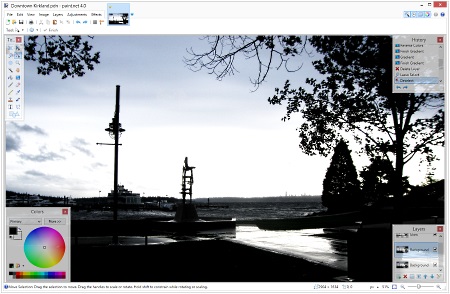
Paint.NET – Paint.NET is free image and photo editing software for PCs that run Windows. It features an intuitive and innovative user interface with support for layers, unlimited undo special effects and a wide variety of useful and powerful tools. An active and growing online community provides friendly help, tutorials, and plugins. Simple, intuitive, and innovative user interface. Every feature and user interface element was designed to be immediately intuitive and quickly learnable without assistance. In order to handle multiple images easily, Paint.NET uses a tabbed document interface. The tabs display a live thumbnail of the image instead of a text description. This makes navigation very simple and fast.
GIMP – GNU Image Manipulation Program
GIMP – GIMP is a cross-platform image editor available for GNU/Linux, OS X, Windows, and more operating systems. It is free software, you can change its source code and distribute your changes. Whether you are a graphic designer, photographer, illustrator, or scientist, GIMP provides you with sophisticated tools to get your job done. You can further enhance your productivity with GIMP thanks to many customization options and 3rd party plugins. High-Quality Photo Manipulation. GIMP provides the tools needed for high-quality image manipulation. From retouching to restoring to creative composites, the only limit is your imagination. Graphic Design Elements. GIMP is used for producing icons, graphical design elements, and art for user interface components and mockups.
PaintShop Pro – Discover your true creative potential with Corel PaintShop Pro X9, easier, faster, more creative than-ever photo editing software. Complete photo and design projects sooner with simpler, more responsive image editing features, new project templates, gradient tools, and Text Presets. Use new screenshot tools to capture your screen and communicate with clarity. At home and at work, there’s only one way to get this kind of versatility, value, and performance. That’s the power of PaintShop Pro. PaintShop Pro is a Faster launch time, new workspaces, and better photo editing results. Edit photos like a pro. Get a complete set of professional image editing tools for photo adjustment and composition. Create graphic design projects. Find everything you need to produce a variety of impactful graphic design projects. Turn photos into works of art. Easily transform your pictures into realistic paintings with Painter Essentials 5. Enhance photos instantly. Restore details, color, and more lost by your camera with Perfectly Clear 3 SE. Work with RAW images. Quickly learn professional-grade RAW photo editing with AfterShot 3.
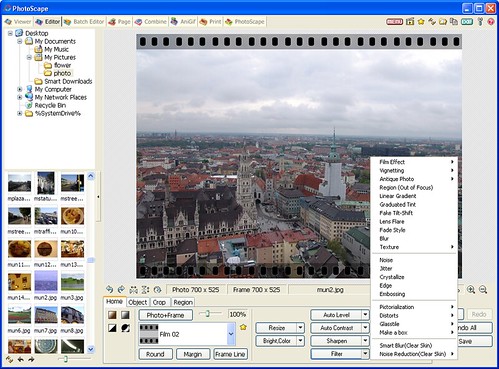
PhotoScape – PhotoScape is a fun and easy photo editing software that enables you to fix and enhance photos. Viewer: View photos in your folder, create a slideshow. Editor: resizing, brightness and color adjustment, white balance, backlight correction, frames, balloons, mosaic mode, adding text, drawing pictures, cropping, filters, red-eye removal, blooming, paintbrush, clone stamp, effect brush. Batch editor: Batch edit multiple photos. Page: Merge multiple photos on the page frame to create one final photo. Combine: Attach multiple photos vertically or horizontally to create one final photo. Animated GIF: Use multiple photos to create a final animated photo. Print: Print portrait shots, carte de visites(CDV), passport photos. Splitter: Slice a photo into several pieces. Screen Capture: Capture your screenshot and save it. Color Picker: Zoom in on images, search and pick a color. Rename: Change photo file names in batch mode. Raw Converter: Convert RAW to JPG. Paper Print: Print lined, graph, music, and calendar paper. Face Search: Find similar faces on the Internet. PhotoScape is provided free of charge.
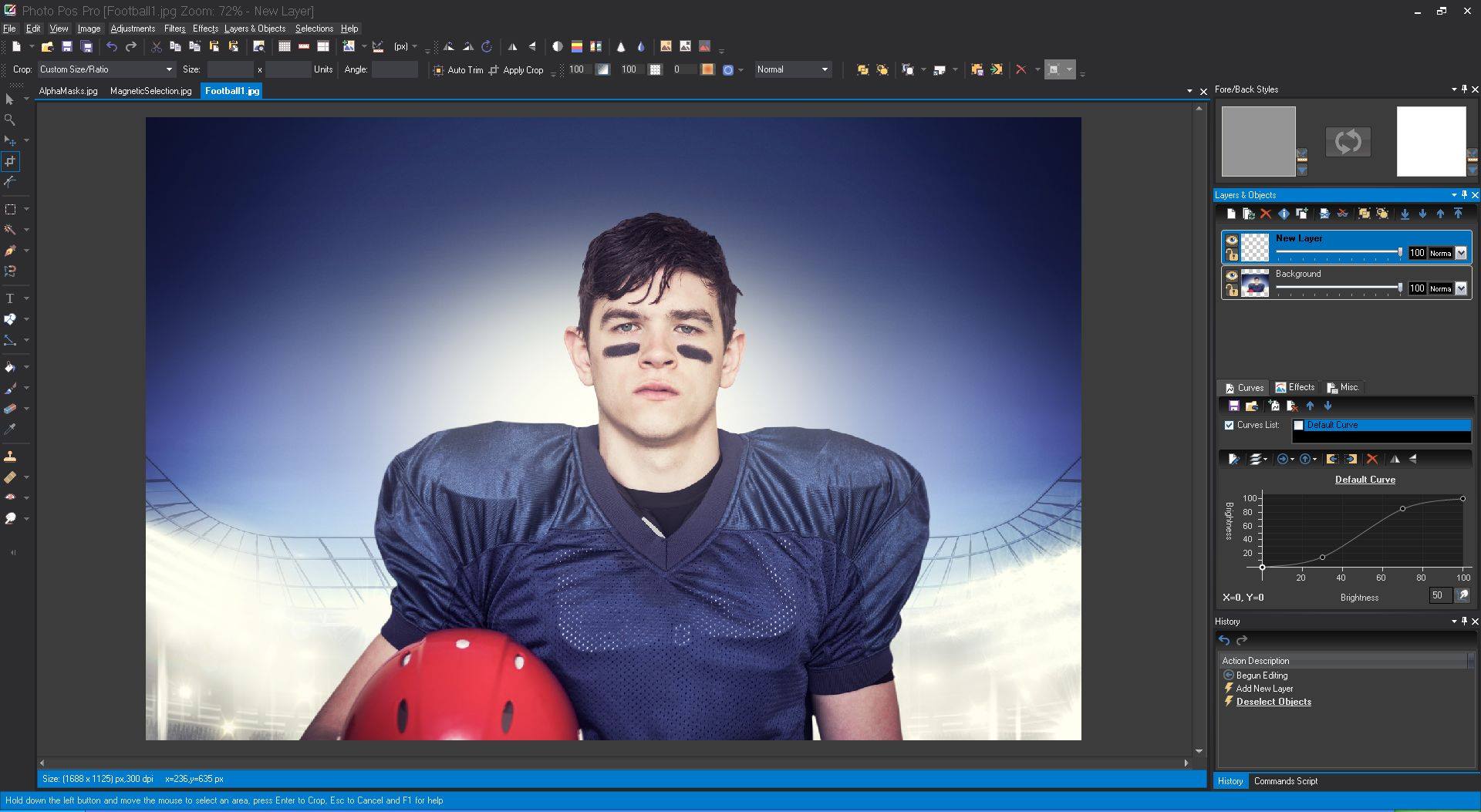
Photo Pos Pro – Photo Pos Pro is a complete photo editing suite that supports everything you’ll need to enhance photos and create stunning artworks. Manipulate Photos Smoothly & Easily. Convert Any image into stunning artwork, easily create, edit, enhance, print, and manipulate your digital photos and computer graphics and easily create eye-catching graphics. Photo Pos Pro is the best free photo editor which is more powerful, friendly, and faster. Our free photo editor provides you the complete solution to enhance you.
Pos Free Photo Editor – TOTALLY FREE – Complete photo editing suite supports everything you’ll need to enhance photos and create stunning artworks. Photo Pos Pro is a totally free digital photo and image editing software that allows you easily create, edit, enhance, print, and manipulate your digital photos and computer graphics, and easily create eye-catching graphics, beautiful collages, greeting cards, business cards, website designs, buttons and much more. We decided to comply with our tens of thousands of satisfied users and turn Photo Pos Pro into freeware. Pos Free Photo Editor is a free, simple, and very user-friendly photo editor, that lets you easily view, and enhance your photos. The software also supports many great effects and allows adding stunning photo effects easily. The photo editor supports the major graphic formats and is very intuitive to work with without any “headaches” – It was specially designed for novices as for the short learning curve. The software also includes an advanced but very easy-to-use multiple image printing tool, that allows you to easily print multiple images on a single page or paper in various ways and effects. It also helps you saving on expensive paper.
Photo Pos Pro Premium Version
Photo Pos Pro Premium – Photo Pos Pro premium edition is the ultimate photo editing tool to turn your digital photos into stunning artworks, create eye-catching graphics and take your creativity to next level. The software packed with powerful adjustments and enhancements, advanced selection tools, layers, masks and layers styles, vectorial objects, filters and special effects, advanced drawing tools, brushes, and dynamic brushes. The software also comes with pre-made frames, collages, business cards, greeting cards, and many more pre-made templates you can start with in order to make your work fast and easy.
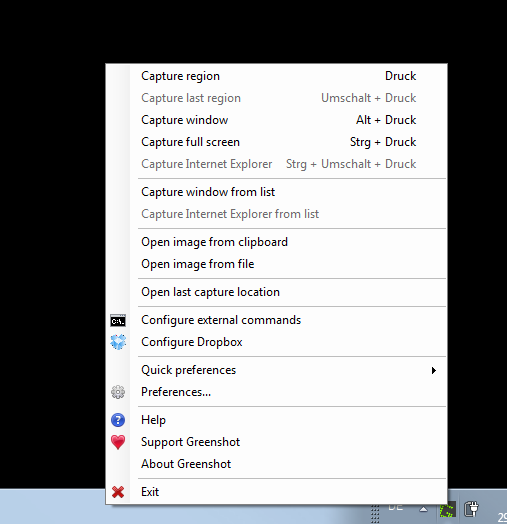
Greenshot – Greenshot is the most awesome tool for making screenshots you can get on your Windows PC. Greenshot is completely free and open-source! Greenshot is a lightweight screenshot software tool for Windows. Quickly create screenshots of a selected region, window, or fullscreen; you can even capture complete (scrolling) web pages from Internet Explorer. Easily annotate, highlight or obfuscate parts of the screenshot. Export the screenshot in various ways: save to file, send to the printer, copy to clipboard, attach to e-mail, send Office programs or upload to photo sites like Flickr or Picasa, and others.
PicPick – All-in-one Graphic Design, Best Screen Capture Software, Image Editor, Color Picker, Pixel Ruler, and More | PicPick – All-in-one Graphic Design, Best Screen Capture Software, Image Editor, Color Picker, Pixel Ruler, and More
PicPick – All-in-one design tool for everyone. A full-featured screen capture tool, Intuitive image editor, color picker, color palette, pixel-ruler, protractor, crosshair, whiteboard, and more. User friendly and full of features for creating your image, Suitable for software developers, graphic designers, and home users. Capture anything. Take screenshots of an entire screen, an active window, the scrolling windows, and any specific region of your desktop, etc. Edit your images. Annotate and highlight your images: text, arrows, shapes, and more with the built-in image editor that includes the latest Ribbon style menu. Enhance with effects. Easily add effects to your images: drop shadows, frames, watermarks, mosaic, motion blur, brightness control, and more. Share everywhere. Save, share, or send your images via Web, email, FTP, Dropbox, Google Drive, SkyDrive, Box, Evernote, Facebook, Twitter, and more.
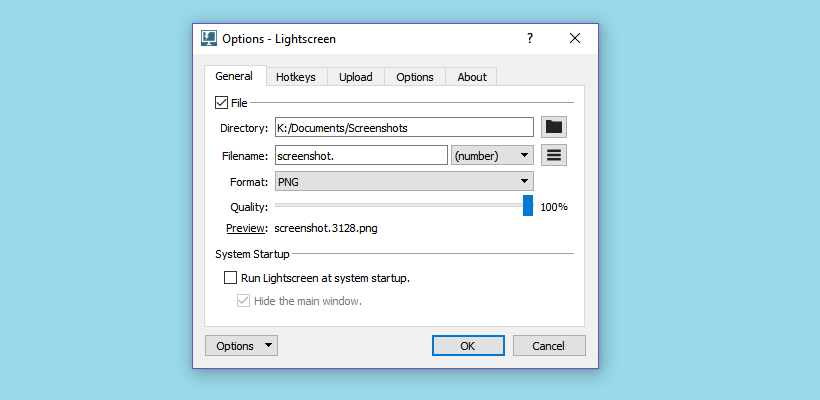
Lightscreen – The easy screenshot tool. Lightscreen is a simple tool to automate the tedious process of saving and cataloging screenshots, it operates as a hidden background process that is invoked with one (or multiple) hotkeys and then saves a screenshot file to disk according to the user’s preferences. Extremely configurable. Use only the hotkeys, get previews of your screenshots, upload all of them automatically and more. Snap what you need. You can resize and readjust the area of the screen you wish to capture for maximum flexibility. Organized. Using an automatic naming system, number your screenshots sequentially or use the date and time.
Lightshot – The fastest way to take a customizable screenshot. Fast screenshot of selected area. The app allows you to select any area on your desktop and take its screenshot with 2 button-clicks. Easy-to-use application. Simple and intuitive user interface makes your work with the app easier and faster. Share screenshots via Internet. Upload your screenshot to the server and get its short link right away. Powerful editors. You can edit screenshots instantly when taking them or later using a powerful online editor. Similar image search. Find similar images. Select any image on your screen and find dozens similar images.