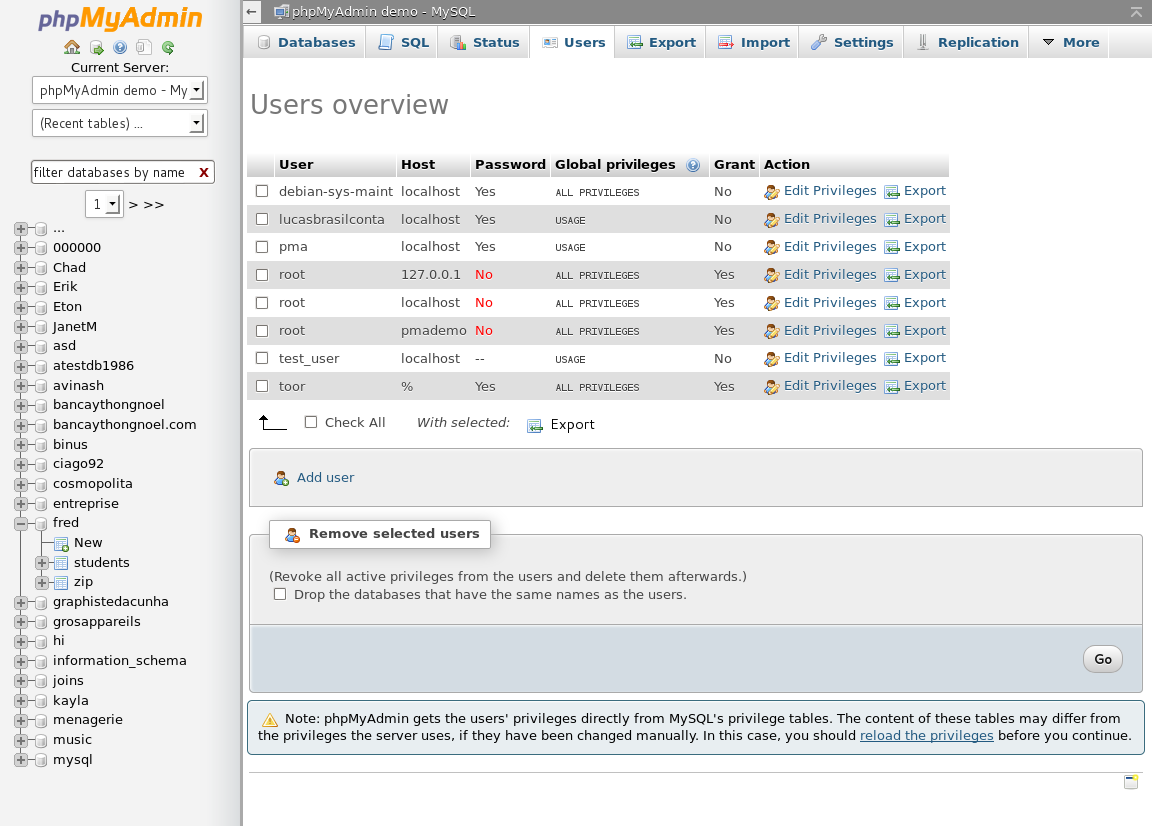
 phpMyAdmin – phpMyAdmin is a free software tool written in PHP, intended to handle the administration of MySQL over the Web. phpMyAdmin supports a wide range of operations on MySQL and MariaDB. Frequently used operations (managing databases, tables, columns, relations, indexes, users, permissions, etc) can be performed via the user interface, while you still have the ability to directly execute any SQL statement. phpMyAdmin is also very deeply documented in a book written by one of the developers. To ease usage to a wide range of people, phpMyAdmin is being translated into 72 languages and supports both LTR and RTL languages. Features: Intuitive web interface. Support for most MySQL features: browse and drop databases, tables, views, fields and indexes. create, copy, drop, rename and alter databases, tables, fields and indexes. maintenance server, databases and tables, with proposals on server configuration. execute, edit and bookmark any SQL-statement, even batch-queries. manage MySQL user accounts and privileges. manage stored procedures and triggers. Import data from CSV and SQL. Export data to various formats: CSV, SQL, XML, PDF, ISO/IEC 26300 – OpenDocument Text and Spreadsheet, Word, LATEX and others. Administering multiple servers. Creating graphics of your database layout in various formats. Creating complex queries using Query-by-example (QBE). Searching globally in a database or a subset of it. Transforming stored data into any format using a set of predefined functions, like displaying BLOB-data as image or download-link. And much more…
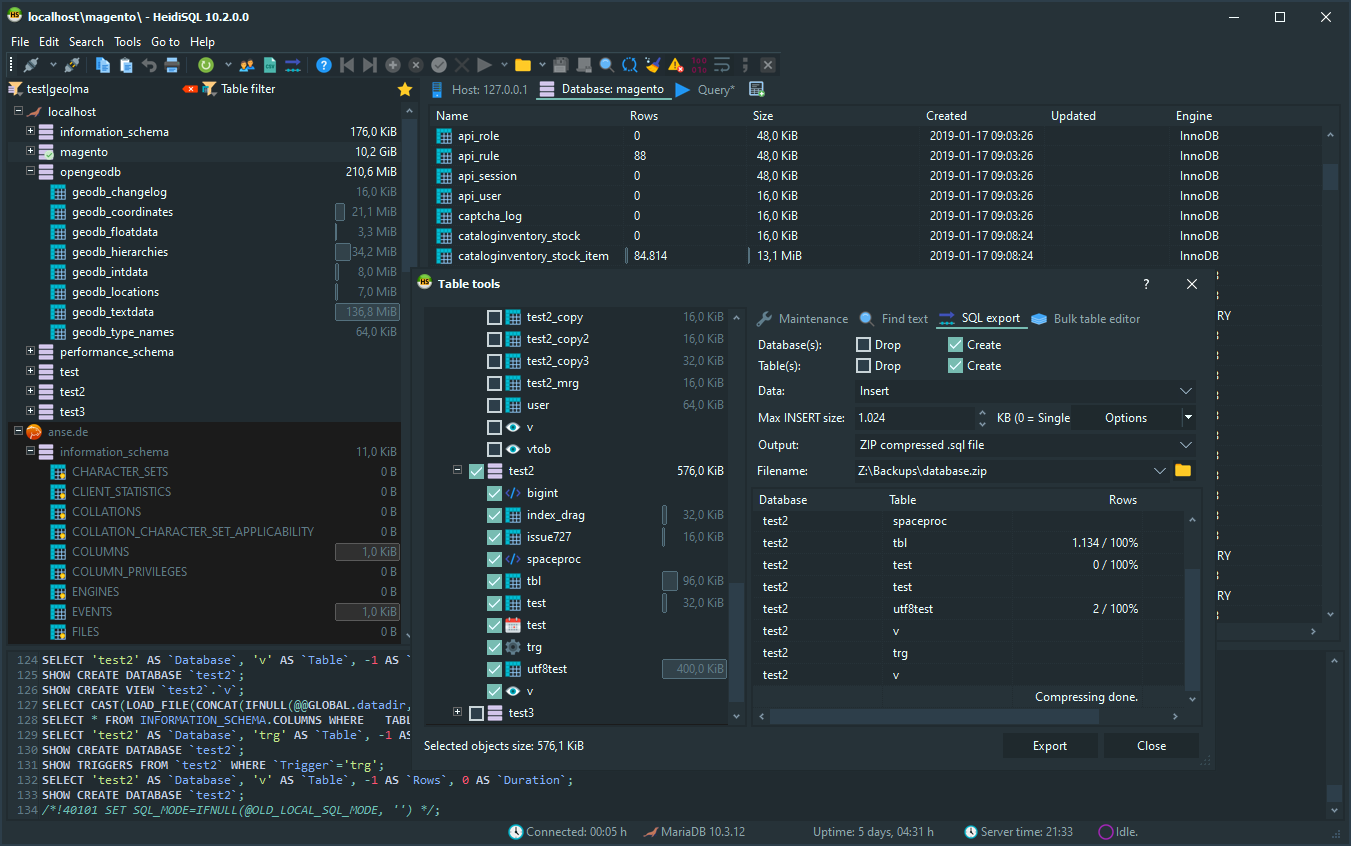 HeidiSQL – HeidiSQL is a useful and reliable tool designed for web developers using the popular MySQL server, Microsoft SQL databases and PostgreSQL. It enables you to browse and edit data, create and edit tables, views, procedures, triggers and scheduled events. Also, you can export structure and data either to SQL file, clipboard or to other servers. Features: Free for everyone, OpenSource since 9 years of active development. Connect to multiple servers in one window. Connect to servers via commandline. Connect via SSH tunnel, or pass SSL settings. Create and edit tables, views, stored routines, triggers and scheduled events. Generate nice SQL-exports, compress these afterwards, or put them on the clipboard. Export from one server/database directly to another server/database. Manage user-privileges. Import text-files. Export table rows as CSV, HTML, XML, SQL, LaTeX, Wiki Markup and PHP Array. Browse and edit table-data using a comfortable grid. Bulk edit tables (move to db, change engine, collation etc.) Batch-insert ascii or binary files into tables. Write queries with customizable syntax-highlighting and code-completion. Pretty reformat disordered SQL. Monitor and kill client-processes. Find specific text in all tables of all databases of one server. Optimize and repair tables in a batch manner. Launch a parallel mysql.exe command line window using your current connection settings. And much more…
 SQuirrel SQL Client – With SQuirrel SQL Client you can Access to advanced script generation and graphing features. The graph plugin allows the user to create table charts. SQL Editor with code completion popup. Code completion can be used to access drop-down lists of options that include keywords, tables, columns, views, stored procedures. Code completion also provides join generation functions. SQL Editor with tools popup menu. Additionally, the list can be searched incrementally with just a few keystrokes. SQL Editor with bookmark selection popup. Bookmarks are user-defined code templates. SQuirreL comes with several pre-defined example bookmarks for the most common SQL and DDL statements. Editing of SQL results. The result tabs of SQL queries support editing the rows returned from a query on a single table. You may also edit the contents tab of tables in the Object tree. Graph: Charts of tables and their relations / Query builder. Create new charts or to add tables to existing charts. Graph manipulation functions.
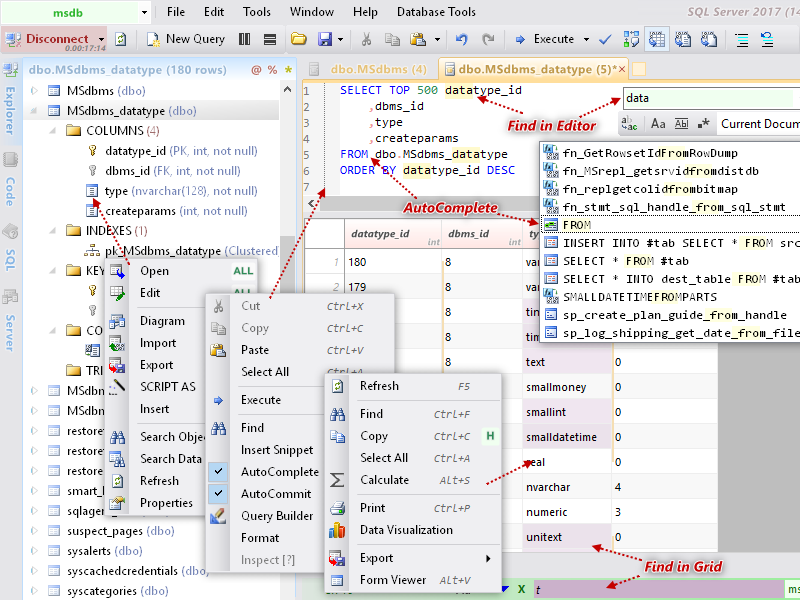 Database.NET – Database.NET is an innovative, powerful and intuitive multiple database management tool. You can browse/grant objects, design tables, edit rows, run queries, generate scripts, analyze/monitor SQL and import/export/migrate/sync data with a consistent interface. Supported databases: SQL Server, SQL Azure, LocalDB, MySQL, Oracle, IBM DB2, Informix, PostgreSQL, HP Vertica, NuoDB, Teradata, Sybase ASE, Firebird, SQLite, SQLCe, Access, Excel, VistaDB, dBase, FoxPro, OleDB, ODBC, OData, Text, NoSQL. Features: Browsing and Editing Data: Browsing Table Data. Editing Table Data. Form Editor and Viewer, Cell Editor, Cell Viewer, DateTime Picker, XML/JSON Editor, PrimaryKey Selector, GUID Generator. Data Visualization, Highlighting Groups of Cells, Auto Filter, Manual Filter, Find In Grid, Replace In Grid, Data Import(Clipboard/CSV/TSV/PSV/SSV/TXT/XML), Importing specific fields, Empty as NULL, Record Separator. Data Export(CSV/TSV/PSV/SSV/SQL/XLSX/XLS/XML/JSON/HTM/MD), Exporting specific fields, Results to Clipboard, Export the xls/xlsx file to open in Excel. Print SQL statements and query results. (De)Compression and (De)Encoding strings. Calculate Selected Cells. SQL Editor: Dynamic Syntax Highlighting: Automatically switch the syntax highlighting dependant on exclusive database system. AutoComplete and IntelliSense: Speeds up and simplifies your typing experience. AutoComplete + Code Snippets. Cross-schema table access. Automatically list foreign key references. Query Builder, Selected Text to Query Builder. Transaction Mode. Read-Only Mode: SQLite/SQLCe/Access/Excel/dBase/Text/HP Vertica. Execute an SQL script. Multiple Tabs and Browsing Mode (Paging/Horizontal/Vertical). Displaying the results of batch SQL statements. Displaying informational messages, DBMS_OUTPUT, RefCursor. Plain Execution Plan: SQL Server/SQLAzure/ SQLCe/MySQL/SQLite/PostgreSQL/Oracle/DB2/SybaseASE/Teradata/HP Vertica/ NuoDB. Visual Execution Plan: Oracle/ PostgreSQL/ MySQL/ HP Vertica/ SQL Server/SQLAzure/SQLCe. Drag and Drop support (Text, Tabs, Database). Automatic Execution. SQL/JSON/XML Formatting and Compression. Table and View objects list, Browsing Column Data. Database Diagram. SQL History. SQL Profiler